iOS TikTok Live Proxy Configuration Guide
This guide will help you quickly configure TikTok Live proxy services on iOS devices using Shadowrocket.
Prerequisites
- iOS device (iOS 10.0 or above recommended)
- Purchased and installed Shadowrocket app (requires non-China region App Store account)
- Obtained proxy server information (Server address, Port, Protocol type)
Configuration Steps
1. Get Proxy Information
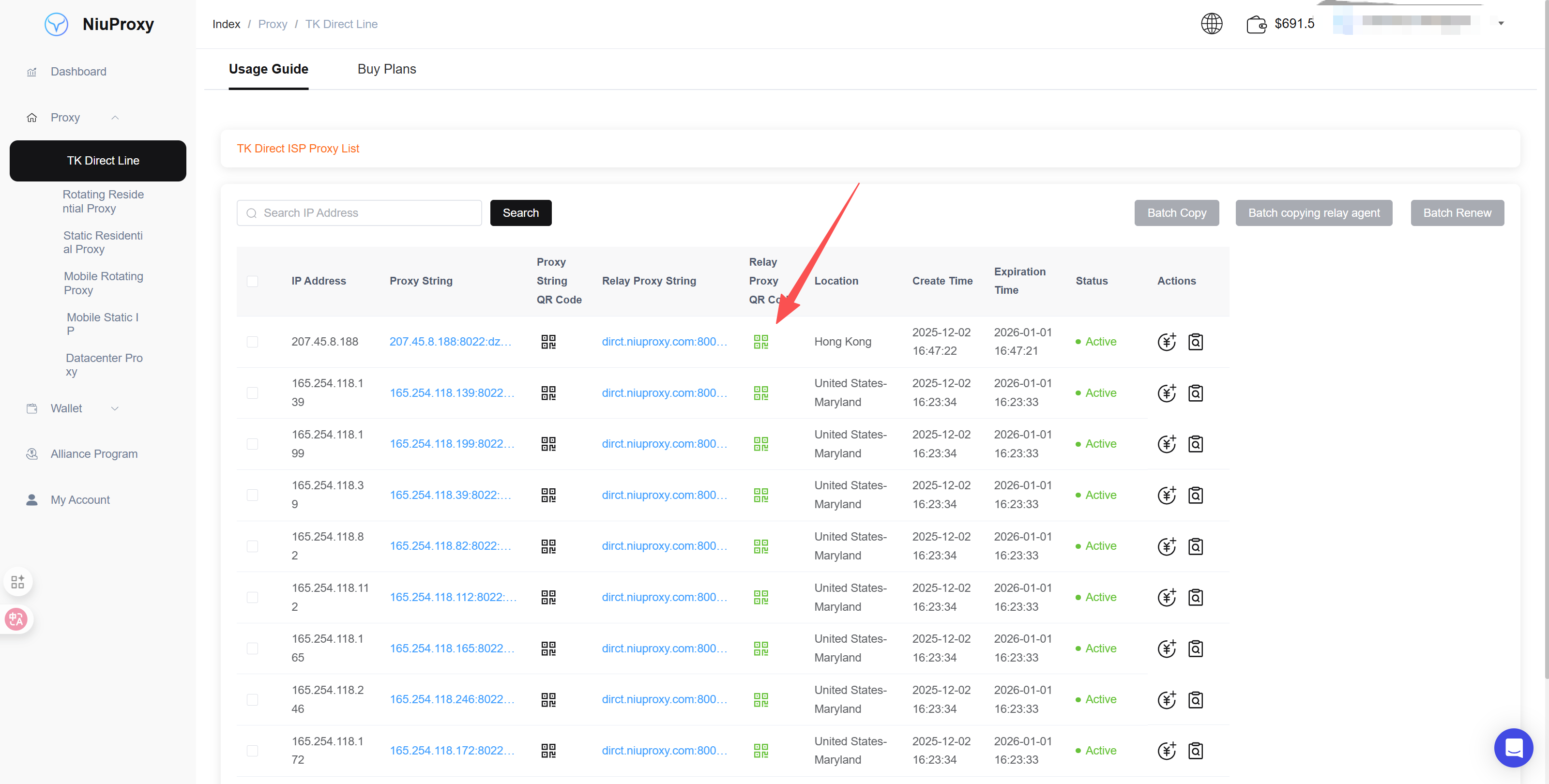
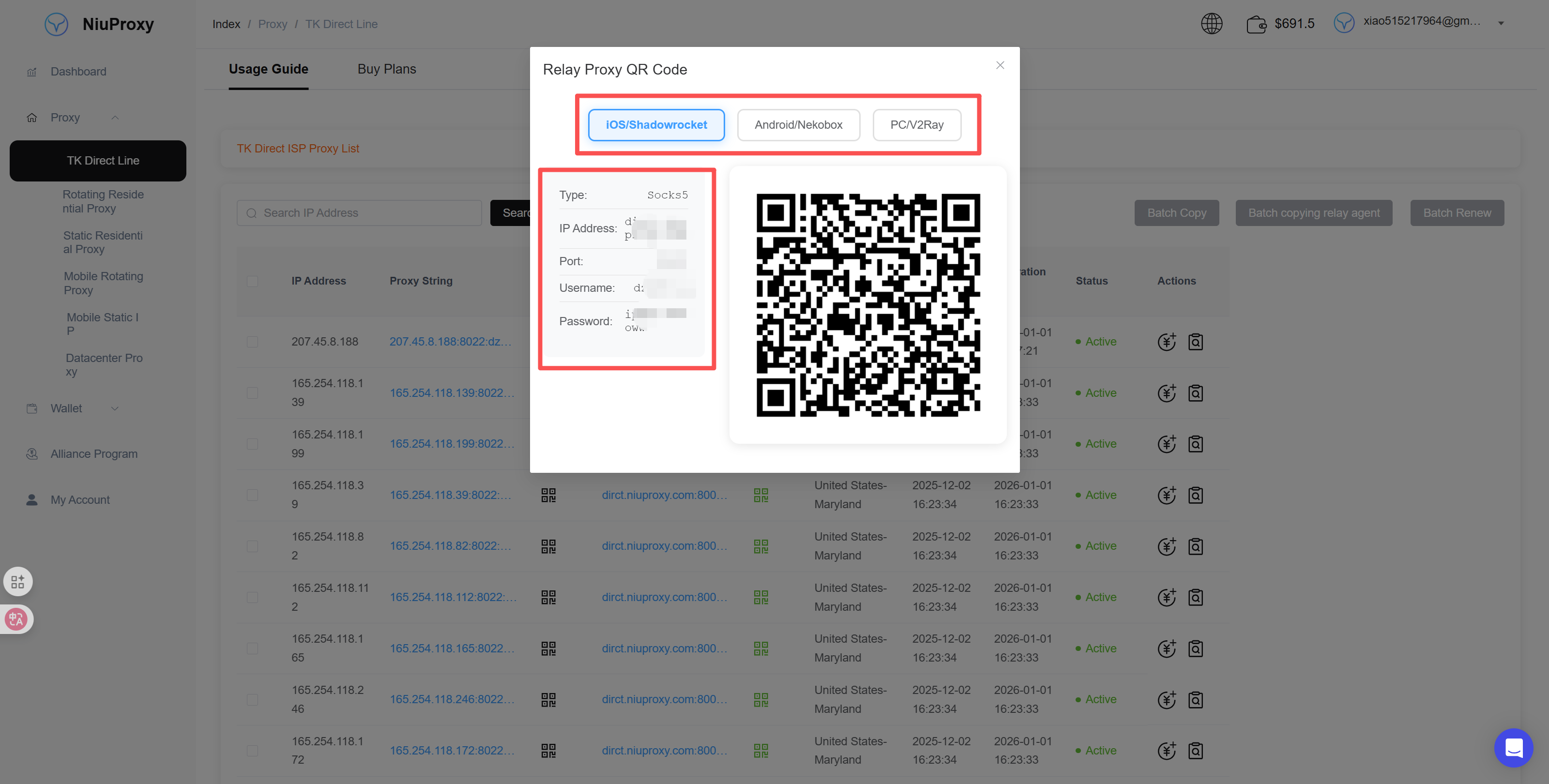
Log in to the NiuProxy management panel and obtain the following proxy information:
- Proxy address: dirct.niuproxy.com
- Port: As assigned by the system
- Protocol type: SOCKS5 or HTTP
- Username/Password: If authentication is required
2. Open Shadowrocket
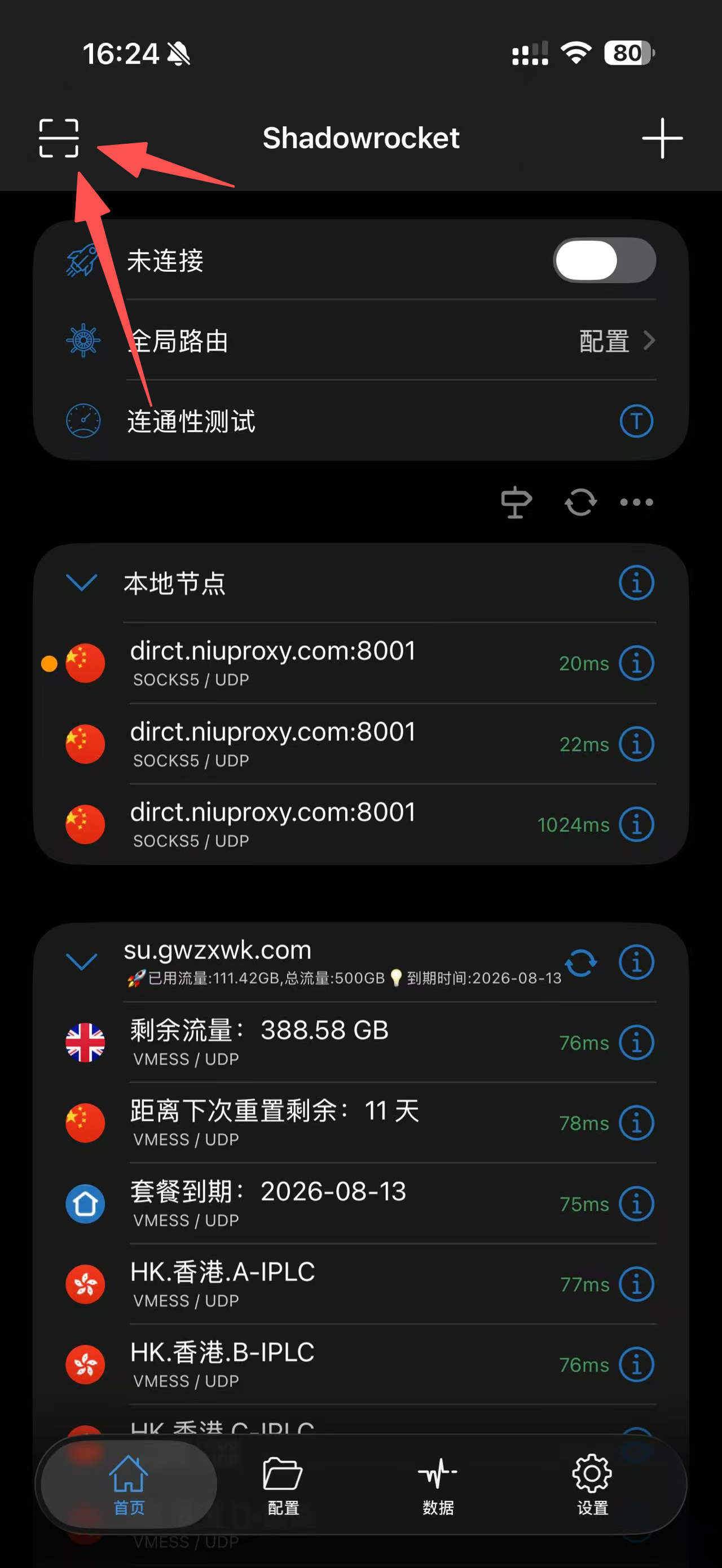
Launch the Shadowrocket app on your iPhone. If opening for the first time, you may need to grant VPN permissions.
3. Add Proxy Node
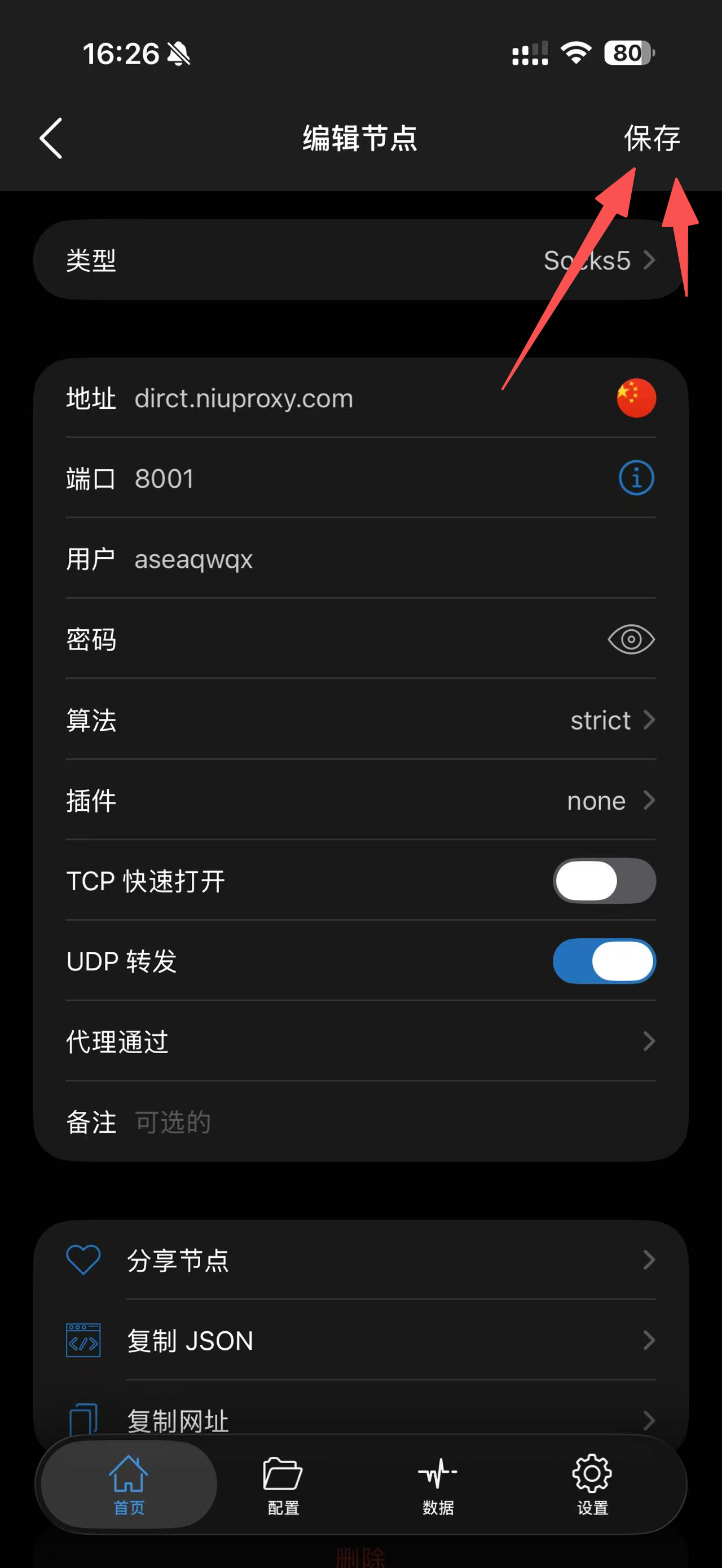
- Click the "+" button in the top right corner
- Select node type (SOCKS5 or HTTP/HTTPS)
- Fill in the proxy information:
- Type: Select SOCKS5 or HTTP
- Address: dirct.niuproxy.com
- Port: Your assigned port
- Username/Password: Fill in if authentication is required
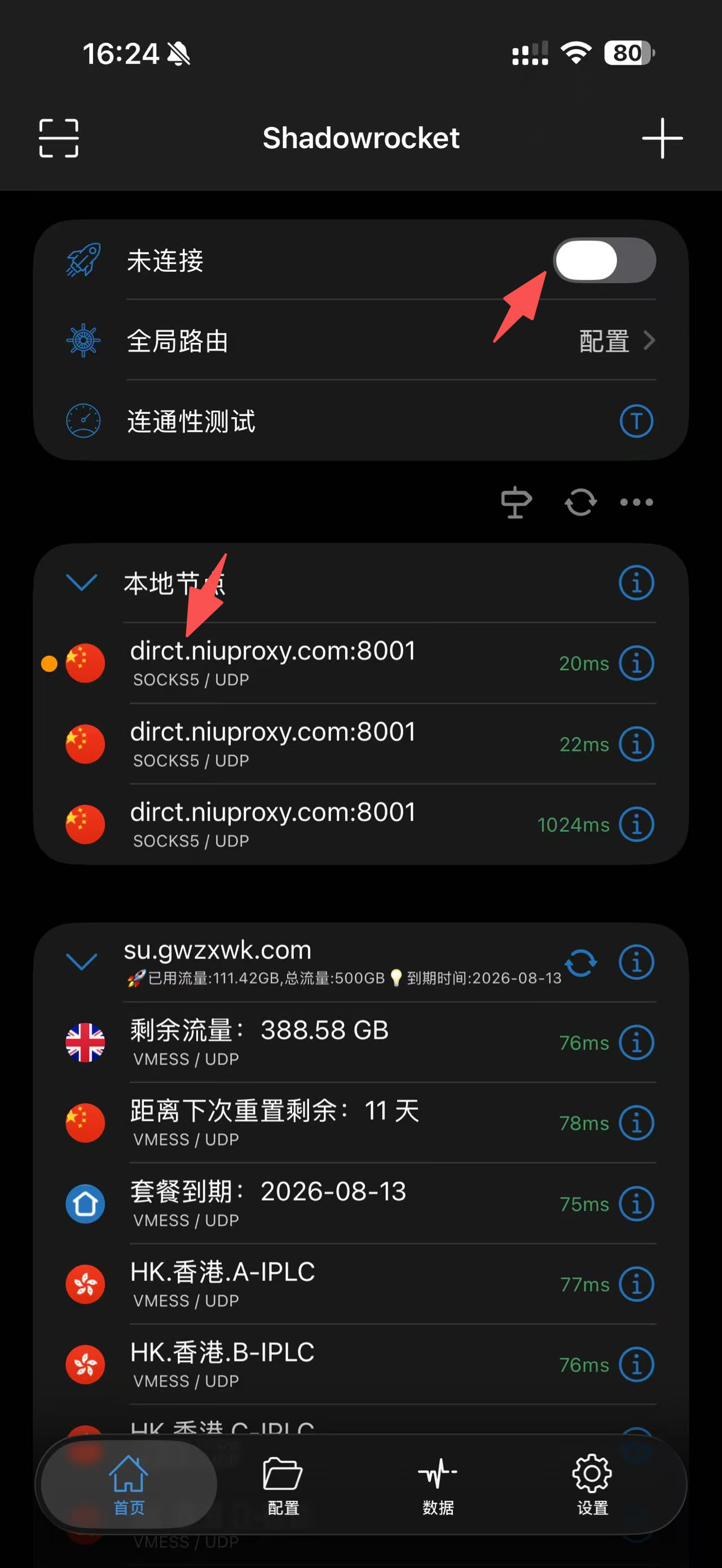
4. Enable Proxy
- Return to the main interface and select the proxy node you just added
- Toggle the "Connect" switch at the top
- On first use, you need to confirm allowing VPN configuration and enter device password
5. Verify Connection
Open Safari or TikTok app to verify if the proxy connection is successful. You can check your IP address by visiting whatismyipaddress.com.
Troubleshooting
Cannot Add Node
- Verify all configuration information is entered correctly
- Check if server address includes protocol prefix (should not include http:// or https://)
- Try manually entering instead of copying and pasting
Cannot Connect
- Verify proxy server address and port are correct
- Check if device network is normal
- Try restarting the Shadowrocket app
Disconnects Frequently
- Check if device network environment is stable
- Try switching to another available proxy server
- Verify iOS VPN configuration is normal
No Network After Connecting
- Check Shadowrocket's "Global Routing" settings
- Try switching routing mode (Proxy, Direct, Scene)
- Restart the device and reconnect
Notes
- Shadowrocket requires purchase from App Store, approximately $2.99
- Non-China region Apple ID is required for download
- Keep Shadowrocket running in the background to maintain the proxy connection
- Regularly update the app to get the latest features and fixes